
Split a textbook into a linked mind map
Try saying“Turn chapter 3 into a mind map, and let every card jump back to its page.”
A chapter-by-chapter map, with excerpts anchored in the source — tap a card to return to it.
MarginNote CLI · Lab
MarginNote CLI lets an AI assistant on your computer — Codex or Claude Code, for example — connect to MarginNote, read the materials you choose, and help you split books, organize mind maps, make review cards and export files. Results go back into your study set, where you check them and keep studying.
What you can hand over
Try saying“Turn chapter 3 into a mind map, and let every card jump back to its page.”
A chapter-by-chapter map, with excerpts anchored in the source — tap a card to return to it.
Try saying“Questions are on pages 3–6, answers on 51–57. Make one card per question.”
Each question paired with its explanation, with room left for your answer if you like.
Try saying“This scanned PDF has no TOC. Build one I can jump with.”
A clickable TOC — and old ones with wrong page numbers can be corrected.
Try saying“Regroup this map as claim, evidence, example, and shorten the titles.”
Cards moved, titles and comments edited, rebuilt around the relationships you ask for.
Try saying“Turn this lymphatic diagram into an image-occlusion card and add it to my deck.”
Review cards created in MarginNote, using its native image occlusion.
Try saying“Export this chapter’s cards as an Anki deck.” “Print chapter 2 with my annotations.”
An APKG or PDF generated in the app and brought back to your computer.
Real results
Both examples are real screens after the assistant finished the task and wrote back to the study set.
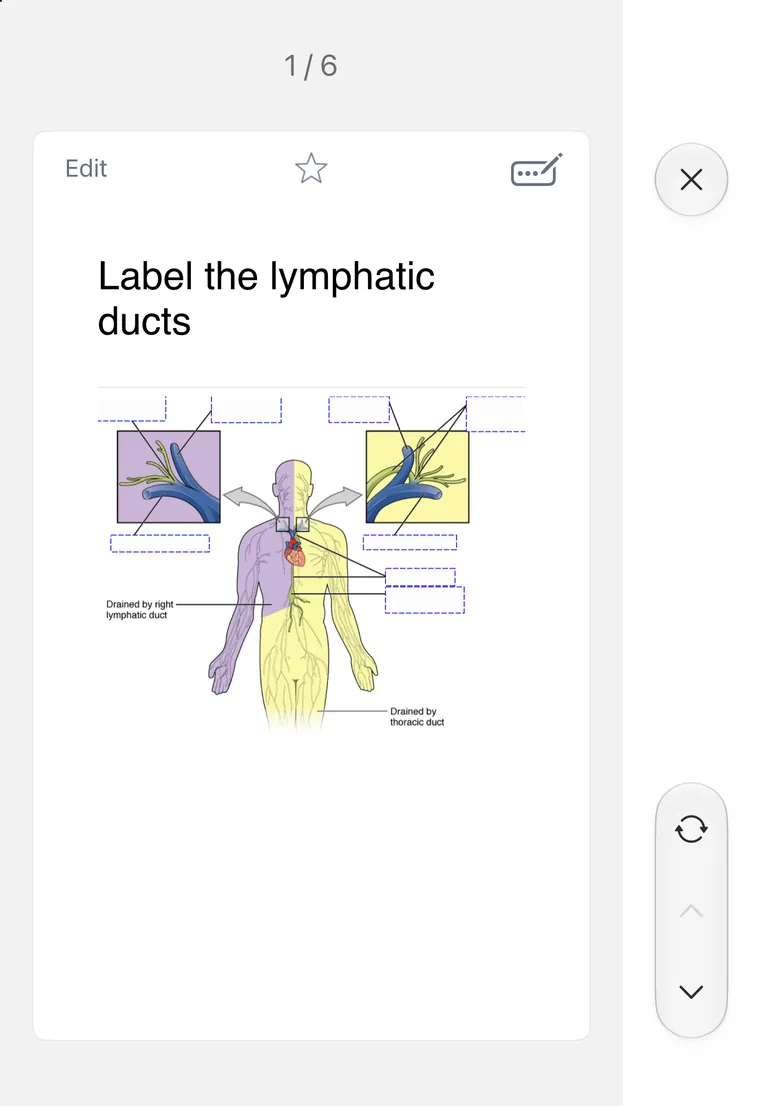

On a lymphatic diagram, the assistant placed 8 native occlusions on the labels and added the card to a “Lymphatic Drainage” deck. Shown: the front, on the iPhone Duo outer screen.
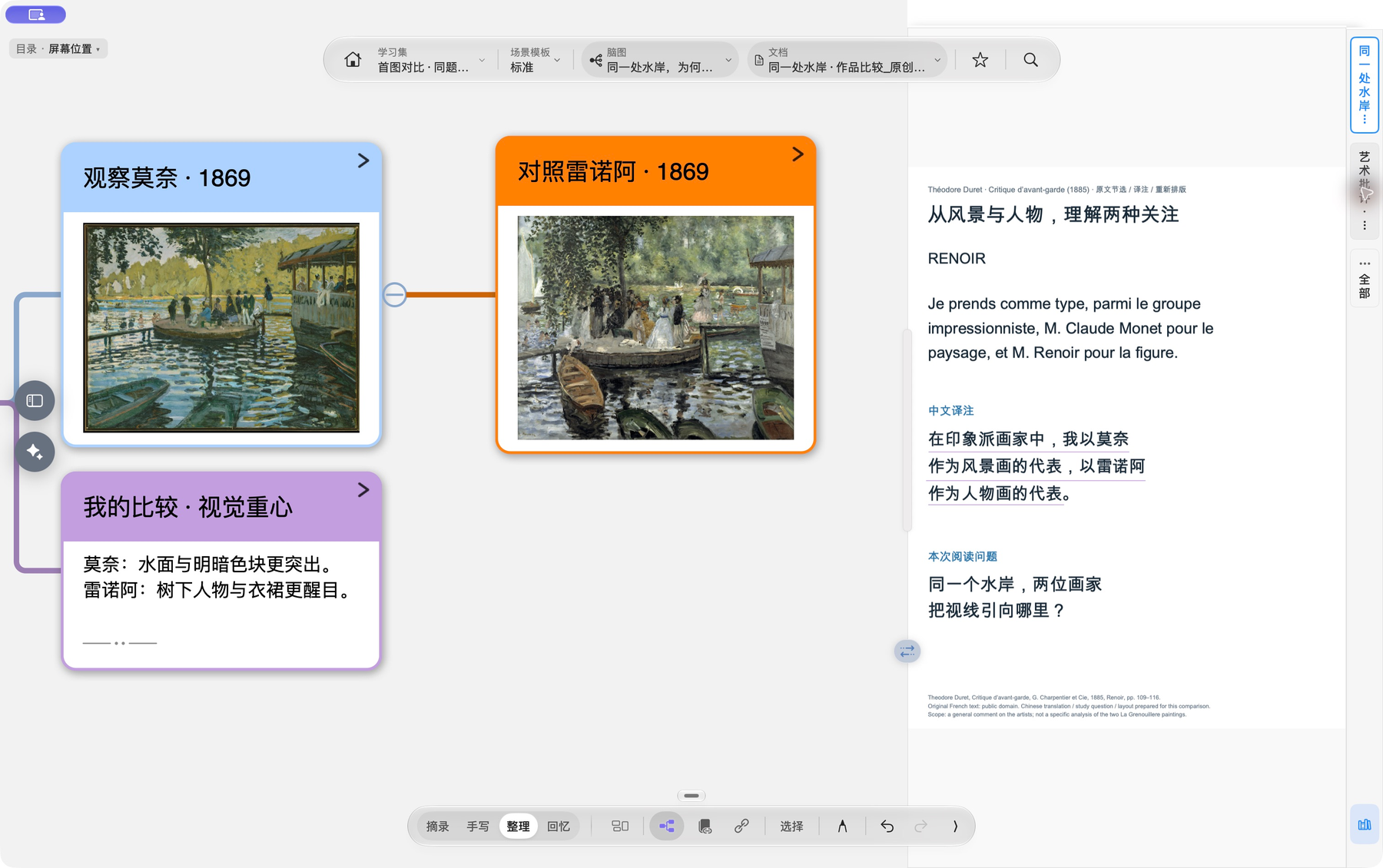
Observations on Monet and Renoir linked to period criticism: the assistant structured the cards, then sources were added and checked by hand in MarginNote.
See the case and sources ↗How to connect
The computer can run macOS, Windows (PowerShell) or Linux. Some cross-platform flows are still being verified; what is available follows the list the app reports.