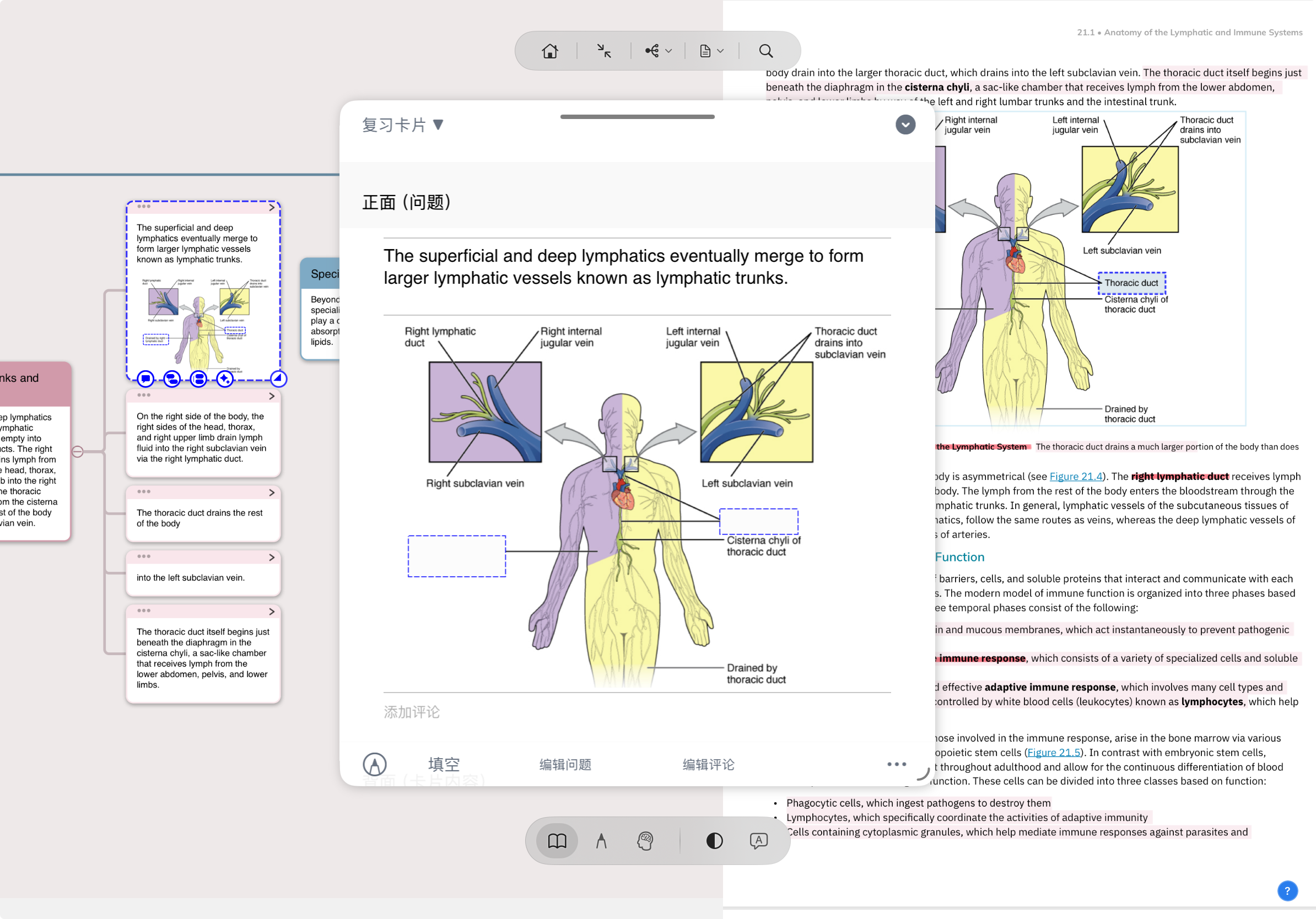
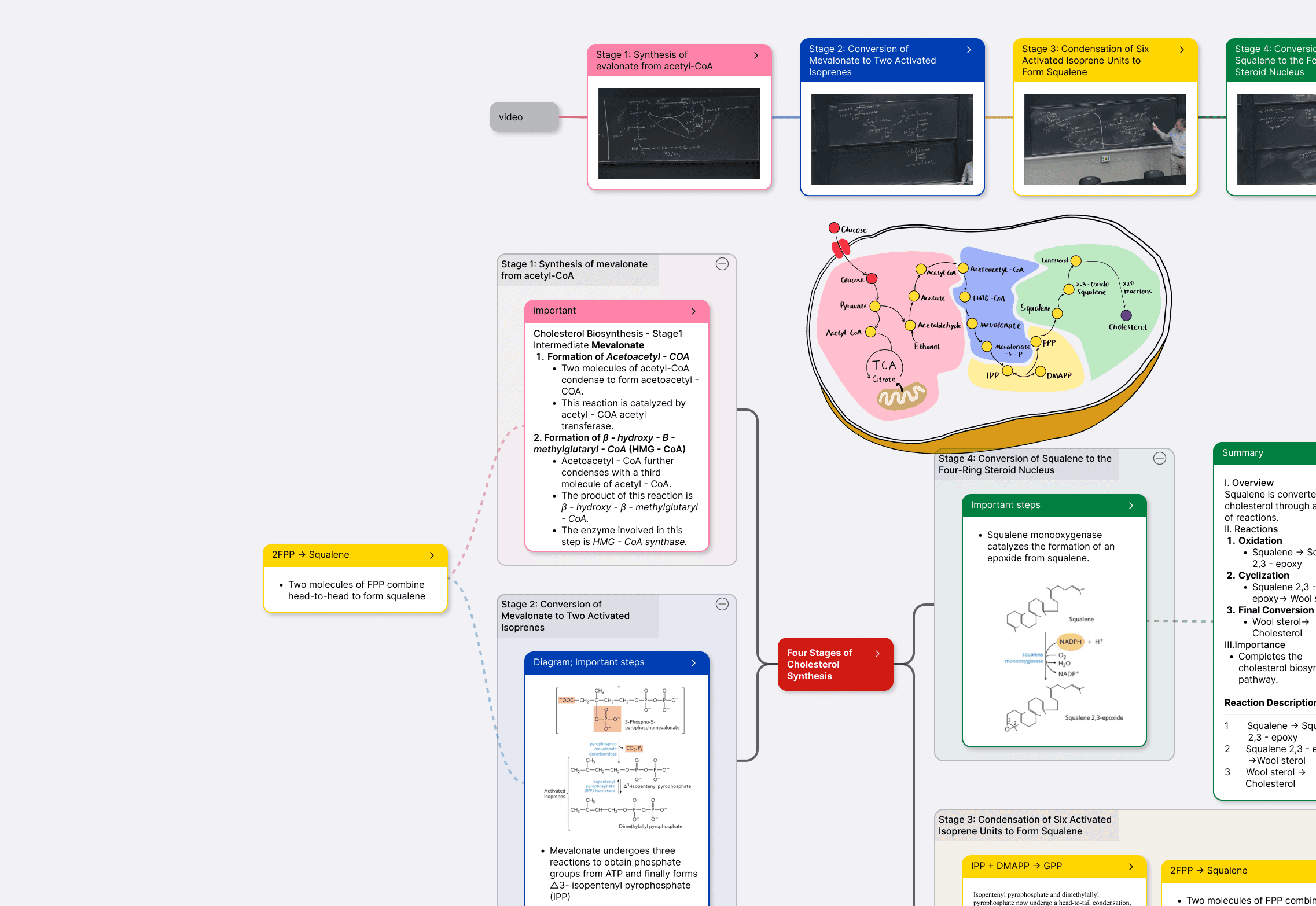
MN's smallest data unit isn't "a highlight in the PDF + a note in your notes app + a card in Anki" — three things. It's one card, rendered as a highlight in the document view, rendered as a node in the mind map, rendered as a flashcard in review mode. Excerpt once, take effect in three places; edit one, all three update — because they're already the same object.
30-second framing
You build structured knowledge networks from PDF reading — med students, researchers, exam preppers, law students. Read → organize → review is your daily routine, and you want those three to not be three apps you switch between, but different views of the same cards.
You only do one-off reading or light annotation — Acrobat highlights + margin notes are enough. Or: you've already settled into "PDF reader + Notion + Anki" and don't see app-switching as a problem.
The "read it → want to copy it into notes → want to make a card → three copies in three places" hauling hell. MN's bet: make "read + organize + review" look like three things, while underneath they're the same cards on different surfaces. Excerpt once, take effect in three places.
Interactive demo · Document ↔ Card ↔ Mind Map
Below is an MN tri-view simulation: document PDF on the left, mind map on the right, the card axis in the middle. Click the four stage buttons at the bottom and watch one card become a PDF highlight, a mind-map node, and a flippable flashcard at the same time.
Myocardial infarction (MI) is ischemic necrosis of the myocardium caused by acute coronary occlusion.
Diagnostic triad: clinical diagnosis is based on typical chest pain + ECG ST-segment changes + cTnI/cTnT elevation. Two of three suffices for clinical diagnosis.
For typing, STEMI requires emergent PCI; NSTEMI follows GRACE risk stratification.
What this looks like in real use
Underlying mechanism
There's no magic — MN simply treats the card as the data atom and lets every other view build on top of cards instead of standing on its own.
You're not just "highlighting" — you're creating a card. Card content = the highlighted text; source = the exact location and page in the current PDF; status = waiting for you to expand it. There's no "save to notes app" or "copy to Anki" step in between — the card exists immediately.
Not "a copy pushed to the mind map" — the same object. The "body" of the mind-map node is that card. Edit the card's title, the node updates; move the node, the card remembers its new category; delete the card, the node disappears too. This is a 1:1 relationship at the data layer, not a two-way UI sync.
Switching to review mode does not create new cards — it re-queues the existing cards according to an SRS algorithm and tests you with front/back. Review state writes back to the card itself ("last reviewed / next due"). Close review mode and return to the document view — every card and its highlight and node are exactly where you left them.
The card itself is structured. An MN card has: title (used by Title Link for automatic backreferencing), content (from the excerpt), note (your explanation), source (down to the page and paragraph), review state (FSRS interval). These fields are presented differently in the three views, but underneath it's one object.
An MN "card" isn't an Anki "card". Anki's card is an isolated Q&A pair with no contextual location; MN's card always carries its physical location in the PDF. A card always knows which book, which page, which paragraph it came from — that's why it can "find its place" in all three views.
Edit propagation isn't async. Edit one place, all three update — because all three read from the same object. There's no "propagation delay". This is the same kind of design as "Notion's multi-view database" in principle, but MN pushes it across three views as different as PDF + mind map + flashcards.
This is why "Extended Note" / "Title Link" / "Immersive Recall" can exist at all — they all build on "the card is the atom". Extended Note is essentially a special kind of card; Title Link uses the card's title field; Immersive Recall adds a blur layer on top of the card. The card is the underlying schema; everything else is a view of it or decoration on it.
Comparison
Same starting point — reading a passage of literature — same end goal: a card you can review. Here are the two paths side by side.
This section makes a slightly abstract but important point: MN didn't "get sync right" — it doesn't need sync at all.
1. A single source of truth. A multi-app workflow (Acrobat + Notion + Anki) has three independent sources of truth — each app "thinks" its copy is the authoritative one. Edit one and the other two become stale copies. In theory you can keep them consistent through "export / import / sync"; in practice no one sustains it. In MN there is only one dataset — it's shown in three views, but there's no copy left to go stale.
2. How well you remember something depends on the context where you first encoded it. If you read it in a PDF, organized it in Notion, and reviewed it in Anki — the three contexts have nothing in common except the content. In MN's tri-view, the same card always carries its source location and surrounding context — when you review the card, it knows which book and page it came from; click the card in the mind map and you can jump back to its place in the PDF in one tap. Location + content + framework — three encoding contexts, permanently bound to the same card.
3. This is why MN users say "the longer I use it, the harder it is to leave". Every card you add "takes root" in all three views — its highlight in the document, its position in the mind map, its progress in review. Five years of notes isn't "50,000 isolated flashcards + 30 GB of PDFs + a pile of Notion docs" — it's 50,000 cards each carrying full context. The irreplaceability of this data shape runs deeper than the irreplaceability of any feature.
4. This architecture is MN's real bet. "Extended Note", "Title Link", "Immersive Recall" — these features are concrete applications built on top of "the card is an atom". Other tools haven't simply failed to imagine similar features — their data architectures (PDF readers only understand PDFs / Anki only understands cards / Notion only understands blocks) don't permit these features to exist at the foundation.
Download MarginNote for free · 14-day trial. macOS / iPadOS / iOS. Open any PDF, highlight a passage — watch it instantly become a card and a mind-map node. "Excerpt once, take effect in three places" isn't marketing — it's the literal meaning of MN's data architecture.