The map
Where AI shows up
Grouped by the three learning postures — Read, Write, Recall. Each entry is AI embedded into a specific action you already do, not AI as a parallel "mode" or a separate toolbar.
AI book breakdown · turn a thick book into a learnable structure
Auto-extract the structure of a paper or textbook — background / methods / results / discussion — and turn it into a question-driven mind-map skeleton. Every node links back to the exact paragraph in the source. Built on Core ML + Vision + LLM working together.
Multiple modes: smart-dictionary mode (auto-build Title Links for key terms), vocabulary-extraction mode (pull words by CEFR level), question mode (organize by problems instead of by chapter). Two-stage flow — notes first, then organize — breaks past the 100-page limit.
Ask popover
Anywhere in the document or mind map, ask AI in place. Select a passage, hit Ask — the answer is bound to the current passage, no context-switch needed.
Where: document view / mind map view, after selectionChat sidebar · Guide Mode
Start from any card and let AI respond in "Guide Mode" — instead of dumping full answers, AI asks back, hints, or breaks down steps, leaving the deciding and the connecting to you. Every AI output is something you can Accept or Reject: AI helps expand the mind map, but you stay in charge.
Where: right sidebar (collapsible) / right-click any card → "Talk to AI"AI table of contents
When a PDF has no TOC, one click generates a structured, editable TOC — split into Parts / chapters / sections, each with a page range. After generation you can edit it manually and freely switch back to the original.
Where: document sidebar (an "AI generate TOC" button shows up when no TOC exists)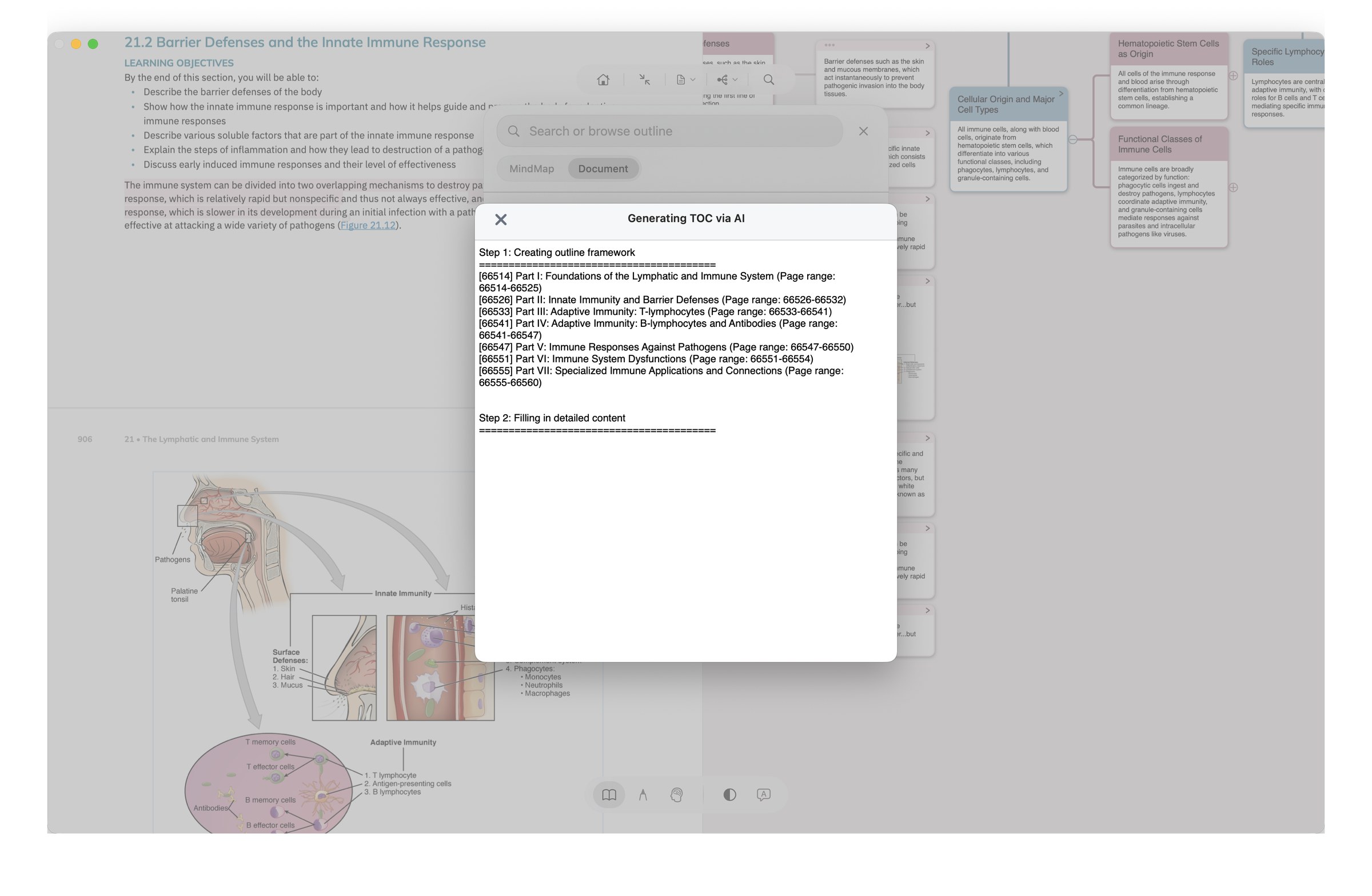
AI quiz · cloze generation
Generate cloze cards directly from your excerpts — fill-in-the-blank plus multiple choice. Right after a chapter, you've got the matching quiz. The gap between "I read it" and "do I actually remember it" closes immediately.
Where: excerpt right-click / card view / review entry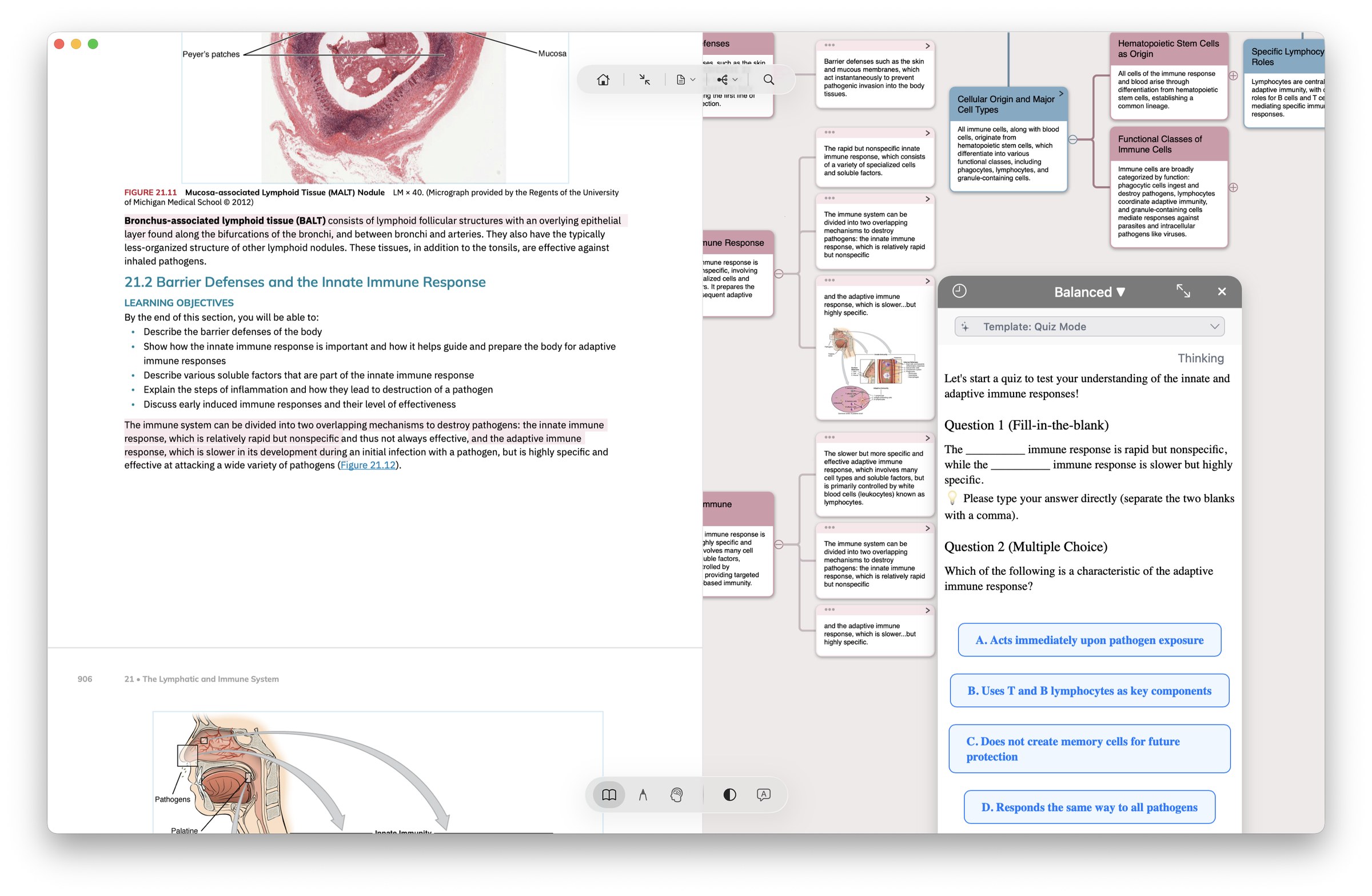
Title rewrite · batch polish
Hand the manual half of card-making to AI — title rewrite (let AI suggest a better card name) and batch polish (rewrite tone and granularity across multiple notes at once).
Where: card right-click / multi-select batch menuMind-map restructure
Let AI re-arrange your mind map skeleton — based on content relations: re-organize node hierarchy, merge redundancy, flag gaps. When a chapter feels messy, run AI through it once before you commit.
Where: mind map view, right-click "AI restructure"AI OCR · turn anything into something writable
Recognize formulas / tables / handwriting / images / text boxes / vertical classical Chinese / multiple languages — output as Markdown formulas and tables that write directly into notes / mind maps / cards, no copy-paste. Easy to export onward to Obsidian / Notion too.
Max-only: custom prompts let AI auto-organize / translate / summarize / generate flashcards (5 preset templates included), plus a "deep thinking" mode for complex content.
AI Hint Mode (Immersive Recall)
In Recall posture, long-press a blurred excerpt — AI doesn't reveal the answer. Instead it surfaces "same chapter / same branch" related context, helping you associate rather than replacing the act of recall.
This is MarginNote AI's most restrained — and most important — design choice. See "Where AI doesn't show up" below.